HTTP Proxy development
This section provides some guidance on how to set up a development environment for the SCION HTTP Proxy. Other setups for development are also possible, but this is a simple way to get started. If you are not a developer, you can simply configure access to any of the available SCION network as instructed in Access and Host Configuration.
Self-contained local setup
Prerequisites
The following topology is assumed:
--- # Tiny Topology, IPv4 Only
ASes:
  "1-ff00:0:110":
    core: true
    voting: true
    authoritative: true
    issuing: true
    mtu: 1400
  "1-ff00:0:111":
    cert_issuer: 1-ff00:0:110
  "1-ff00:0:112":
    cert_issuer: 1-ff00:0:110
links:
  - {a: "1-ff00:0:110#1", b: "1-ff00:0:111#41", linkAtoB: CHILD, mtu: 1280}
  - {a: "1-ff00:0:110#2", b: "1-ff00:0:112#1", linkAtoB: CHILD, bw: 500}
On this example setup, these ASes have the following IPs:
{
    "1-ff00:0:110": "127.0.0.12",
    "1-ff00:0:111": "127.0.0.19",
    "1-ff00:0:112": "127.0.0.27"
}
The forward proxy (f) is running in AS 111 and the reverse proxy (r) with the whoami (w) service is running in AS 112:
          110
        /     \
111 (f)         112 (r,w)
Setup
On localhost:
/etc/hosts:
1-ff00:0:112,[127.0.0.1] scion.local
Run the backend service:
docker run -p 8081:80 --name whoami --rm --detach traefik/whoami -verbose
curl localhost:8081 # whoami response over IP
export SCION_DAEMON_ADDRESS="127.0.0.19:30255"; go run ./cmd/scion-caddy run --config ./_examples/forward.json --watch
export SCION_DAEMON_ADDRESS="127.0.0.27:30255"; go run ./cmd/scion-caddy run --config ./_examples/reverse.json --watch

curl -v "http://scion.local:7080" --proxy "https://localhost:9443" --proxy-insecure --proxy-header "Proxy-Authorization: Basic $(echo -n \"policy:\" | base64)"
curl -v "https://scion.local:7443" --insecure --proxy "https://localhost:9443" --proxy-insecure --proxy-header "Proxy-Authorization: Basic $(echo -n \"policy:\" | base64)"
SCIONLab
We assume for this example that you follow the SCIONLab VM configuration tutorial.
Configure the VM (in Vagrantfile) to be accessible from localhost with
config.vm.network "private_network", ip: "192.168.56.2"
In the VM:
export NODE_IP=192.168.56.2
sed -i "s/127\.0\.0\.1/$NODE_IP/" /etc/scion/topology.json
sudo systemctl restart scionlab.target
On localhost:
vagrant scp certs/ /etc/scion
vagrant scp topology.json /etc/scion
sudo systemctl start scion-dispatcher.service
sudo systemctl start scion-daemon.service
Check IP/ICMP Connectivity
An example of pinging a host in the attachment point AS in Korea
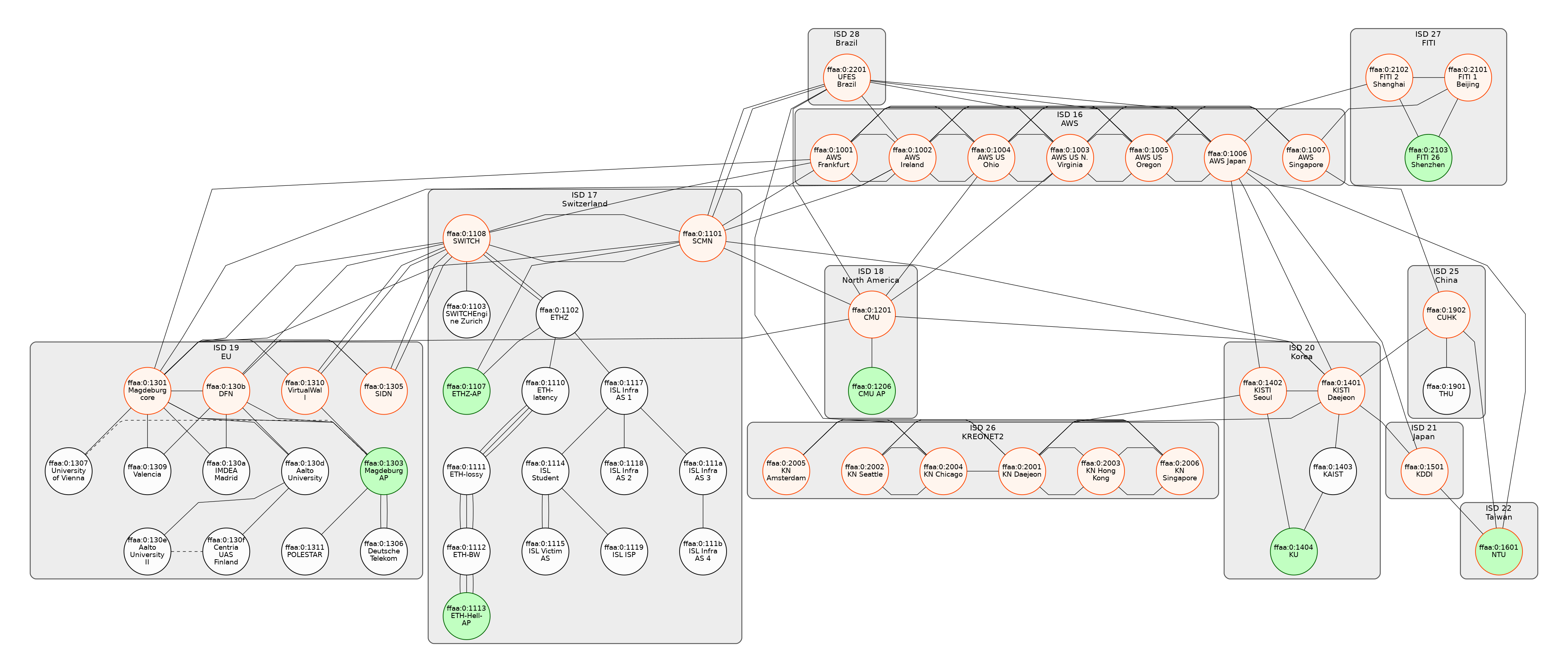
From localhost:
scion ping 17-ffaa:1:1103,0.0.0.0 -c 1 # local AS
scion ping 17-ffaa:0:1102,0.0.0.0 -c 1 # ETH
scion ping 20-ffaa:0:1404,0.0.0.0 -c 1 # Korea
Setup
On localhost:
/etc/hosts:
17-ffaa:1:1103,[192.168.56.1] whoami
127.0.0.1 whoami
Run the backend service:
docker run -p 8081:80 --name whoami --rm --detach traefik/whoami -verbose
curl localhost:8081 # whoami response over IP
Run the SCION HTTP Proxies and test:
go run ./cmd/scion-caddy run --config ./_examples/forward.json --watch # run skip-proxy (forward proxy)
go run ./cmd/scion-caddy run --config ./_examples/reverse.json --watch # run web-gateway (reverse proxy)

curl "http://localhost:8081" -v --insecure --proxy "http://localhost:8890" # HTTP over IP (skip-whoami)

curl "http://localhost:8080" -v --insecure --proxy "http://localhost:8890" # HTTP over IP (skip-web-whoami)
curl "https://localhost:8443" -v --insecure --proxy "http://localhost:8890" # HTTPS over IP (skip-web-whoami)

curl "http://whoami.dev:8080" -v --insecure --proxy "http://localhost:8890" # HTTPS over SCION (skip-web-whoami)
curl "https://whoami.dev:8443" -v --insecure --proxy "http://localhost:8890" # HTTPS over SCION (skip-web-whoami)